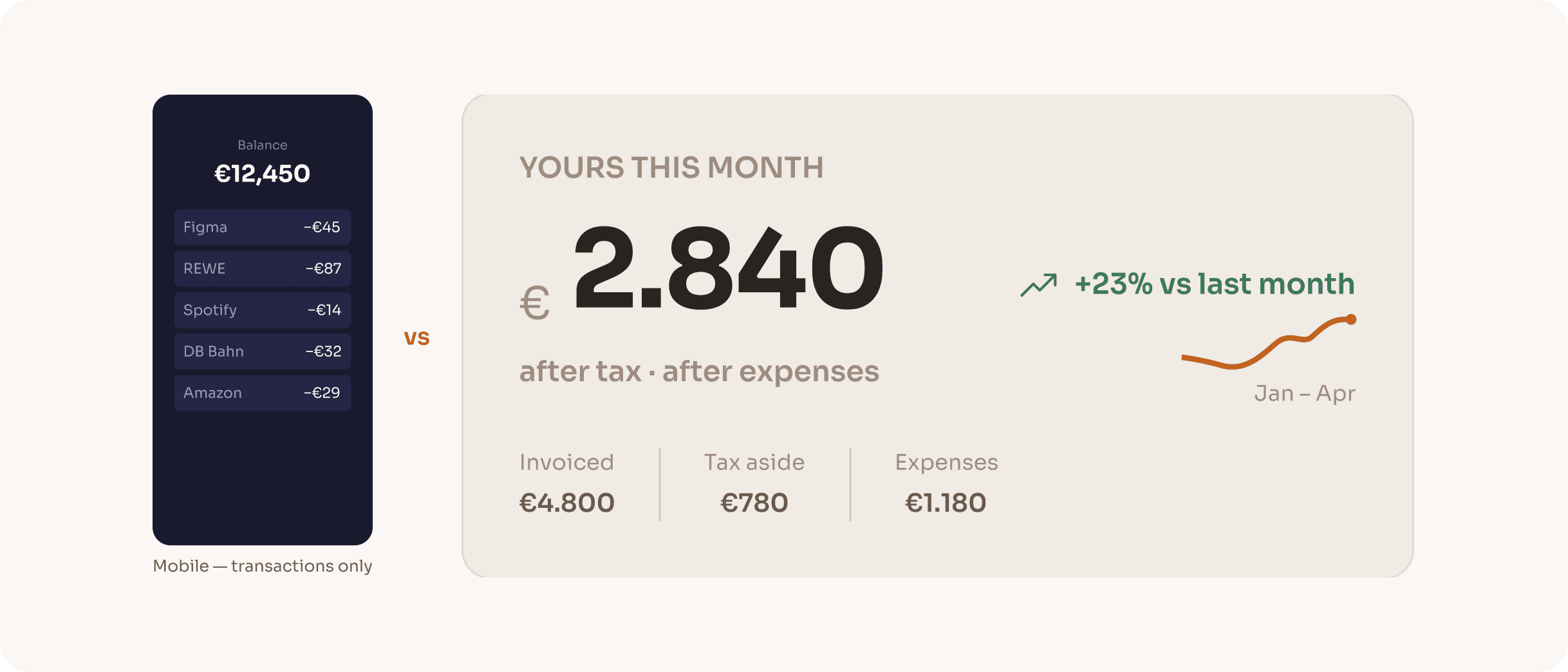
Every competitor went mobile. Every competitor got it wrong.
Every tool in this space is either a banking app or an accounting platform. They show transactions. None of them answer the question every German freelancer asks at the end of every month: after tax, after expenses, what is actually mine? Klarr is not a bank. It is the layer that makes your bank finally make sense.
The gap isn’t a missing feature. It’s a missing perspective. Every tool optimises for transactions. Klarr optimises for clarity.
Two personas. One shared problem.
Different backgrounds, different blockers. The same anxiety at the end of every month: what is actually mine?

Maya Hoffmann
UX Designer & Consultant · 31 · Berlin- Invoices 3–5 clients per month at irregular amounts
- Has been surprised by a Finanzamt tax bill twice
- Uses N26 as her business account with no tax tracking
I earn well. I just never know how much of it is actually mine.

Jim Adrian
Freelance Developer & Student · 27 · Düsseldorf- Invoices 4–6 clients per month across different project sizes
- Has received two unexpected Finanzamt tax bills with no warning
- No tool he has tried works in English with German tax logic
I didn’t expect taxes to be the biggest barrier to freelancing in Germany.
- Tax anxiety crosses language and background — Jim and Maya share the same dread despite different situations.
- Existing tools were abandoned due to complexity, not lack of intent.
- No tool in the German market connects income, expenses and tax into one real-time number — in English or German.
Four decisions that define what Klarr is, and what it chose not to be.
Desktop-first when every competitor went mobile
Every competitor is mobile-first or mobile-only. But serious financial decisions — quarterly tax reviews, invoice reconciliation, expense categorisation — happen at a desk, not on a commute. Klarr was designed for that moment of deliberate attention.
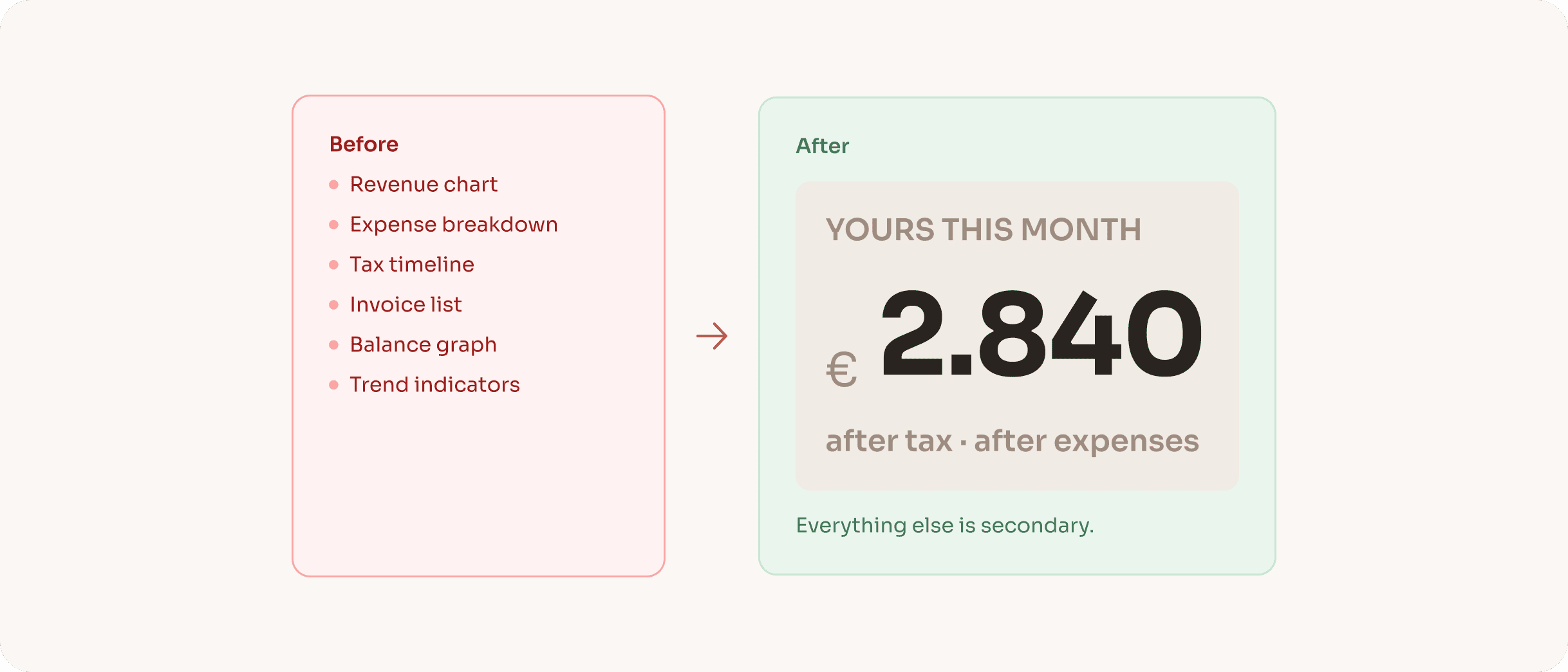
One number over every number
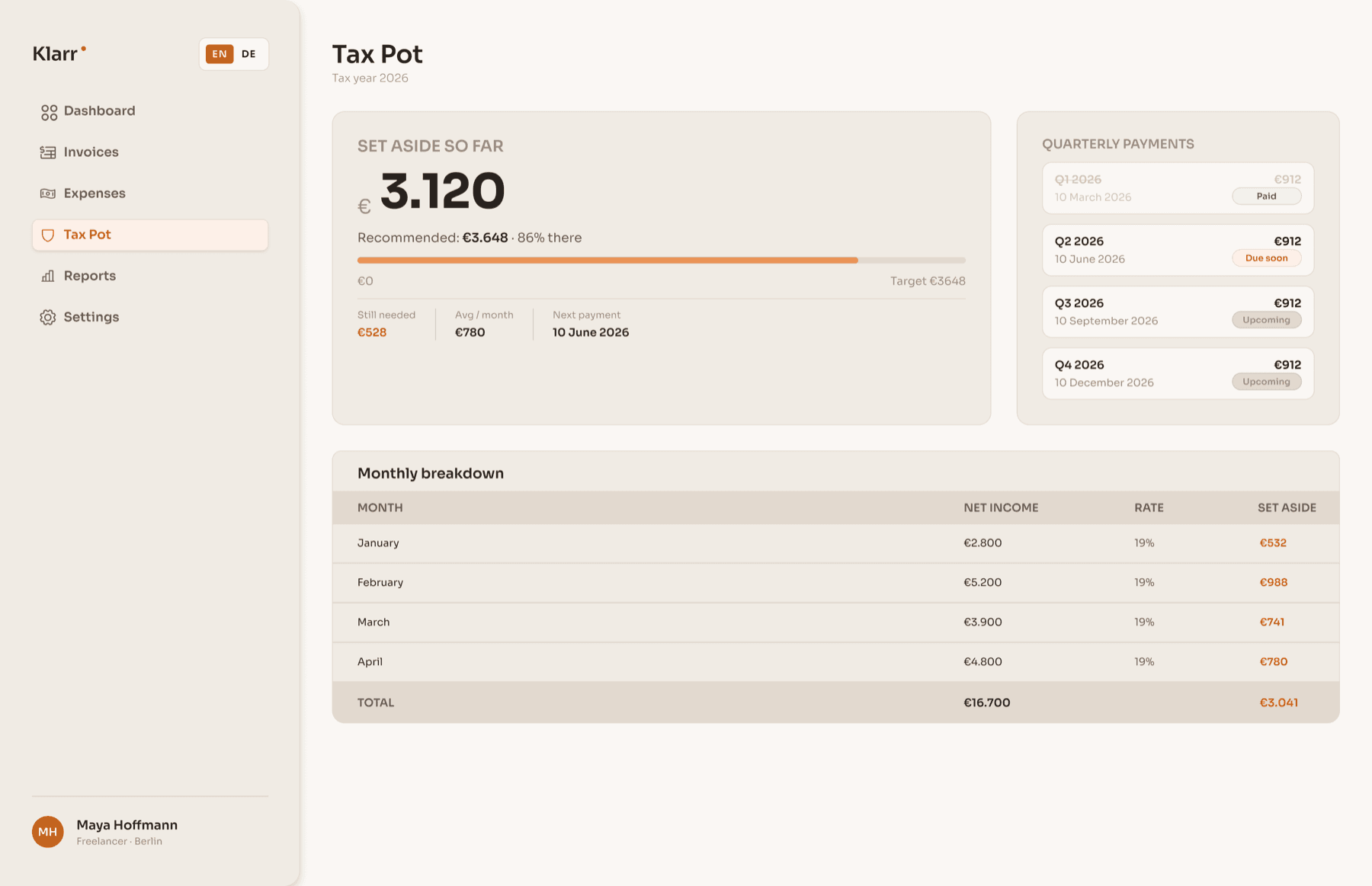
Early explorations showed a full financial dashboard: revenue charts, expense breakdowns, tax timelines, all at once. Every version felt overwhelming. Freelancers don’t need more data; they need one answer. The whole hierarchy was rebuilt around a single output: what you actually keep this month.
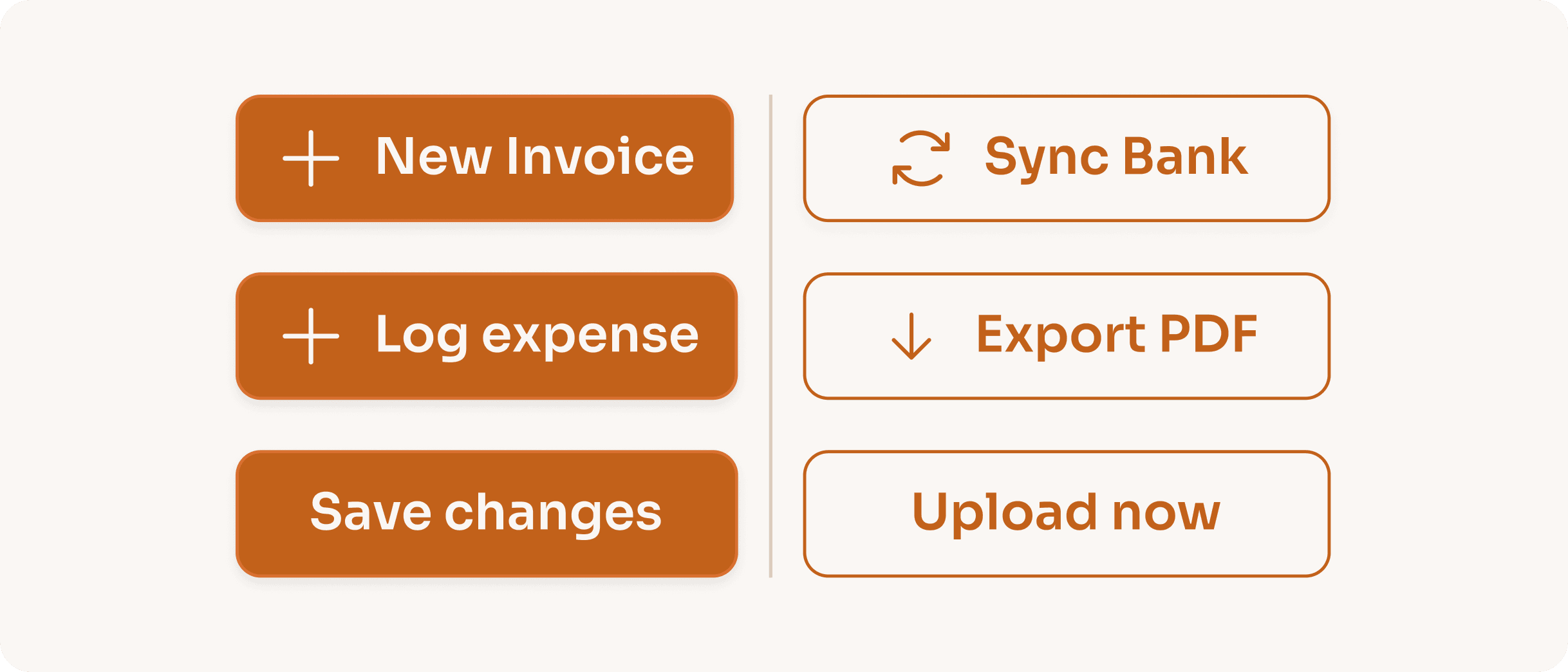
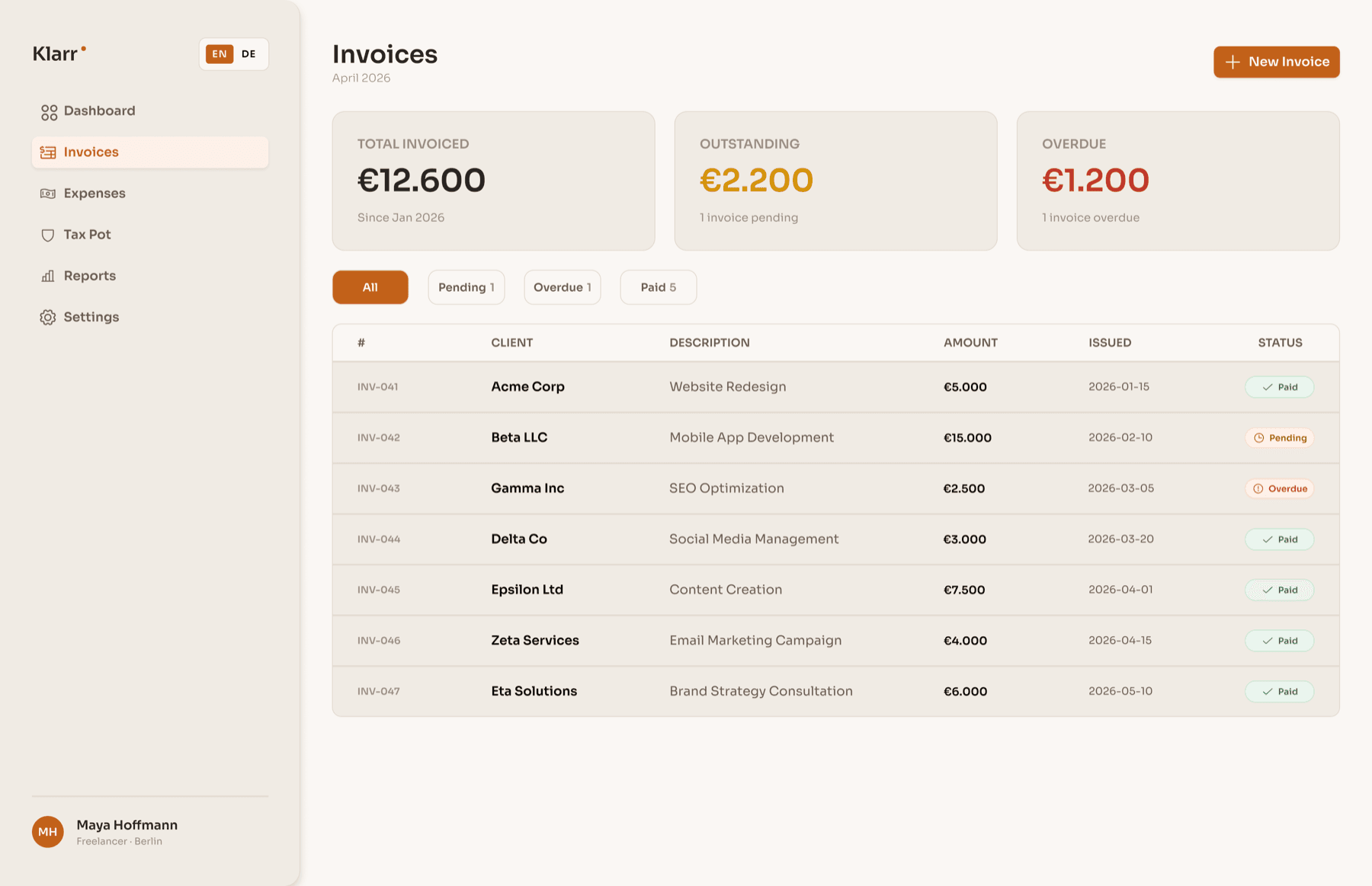
Filled vs outlined buttons encode the kind of action, not its importance
Filled buttons commit data inside Klarr (New invoice, Log expense, Save). Outlined buttons trigger something outside it (Sync bank, Export PDF). Learn it once, and it applies everywhere.
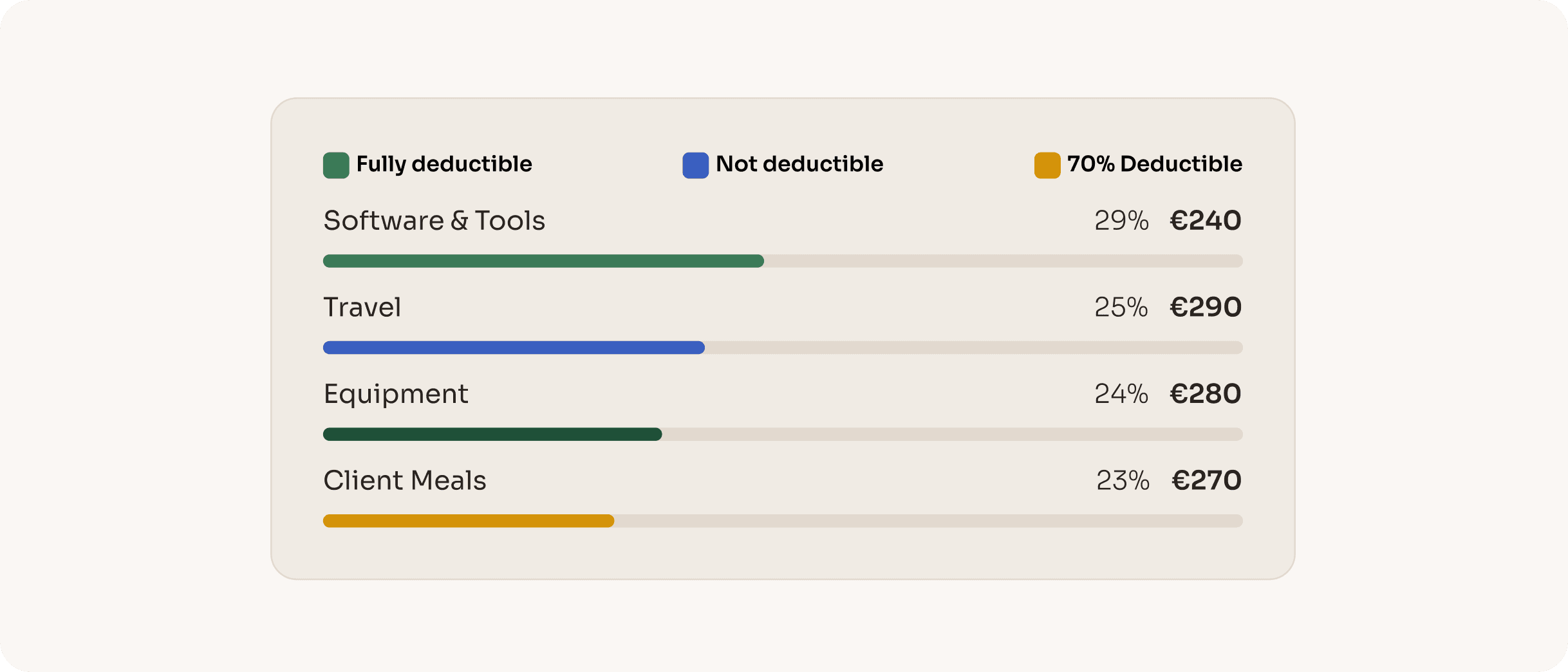
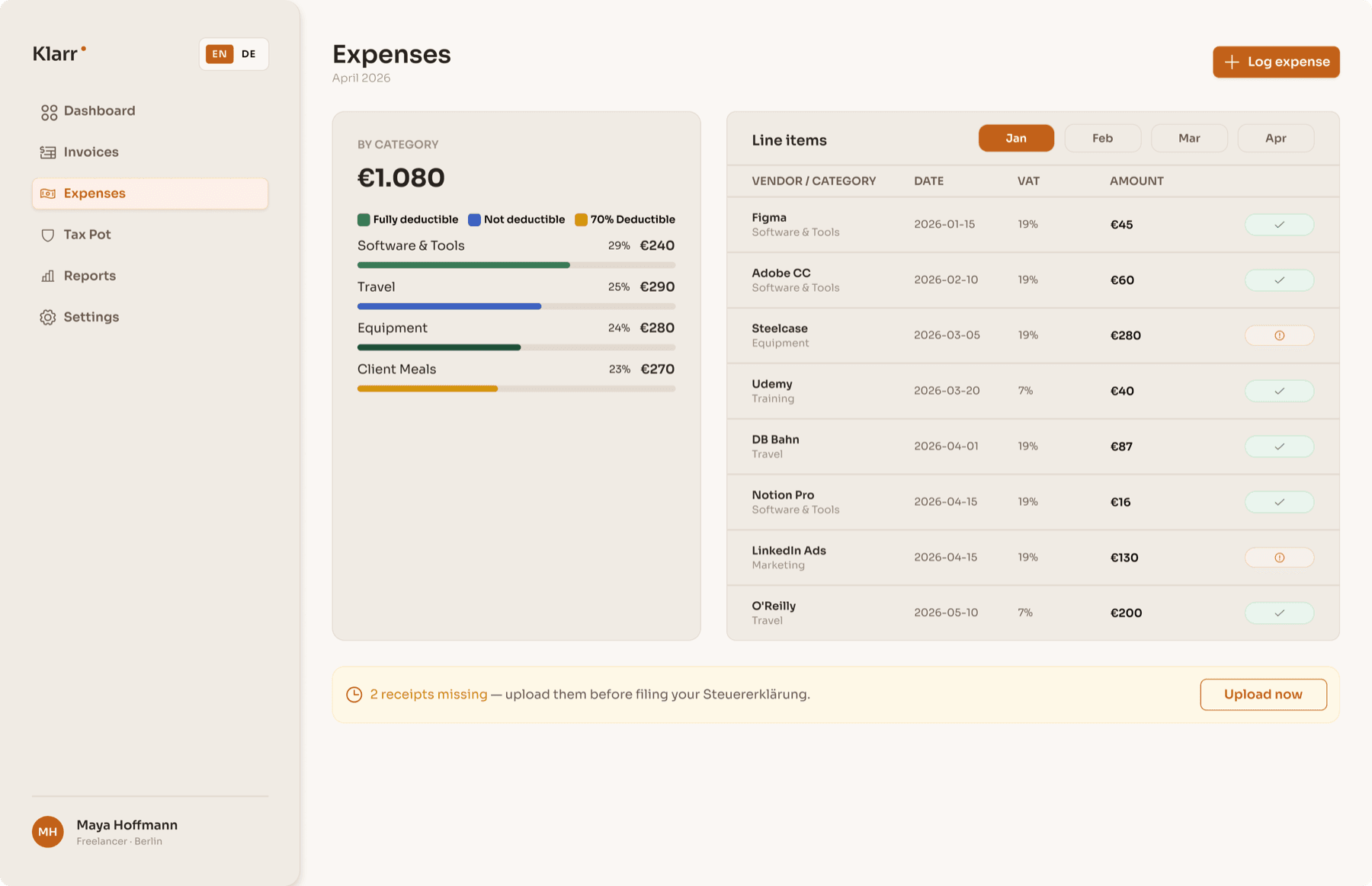
Deductibility encoded in the colour of each expense bar
Green for fully deductible, amber for partly deductible (client meals at 70% under German tax law), blue for travel. You read your tax position without reading a single number.
Seven steps. One clear picture.
Seven steps that turn a generic dashboard into a financial picture calibrated to this specific person’s tax situation. The onboarding is where Klarr becomes personal.
- 01WelcomeName, email, password. The only screen that could belong to any product.
- 02Work typeFreiberufler or Gewerbetreibender. This single question determines whether trade tax applies, a significant calculation most tools ignore.
- 03SteuerklasseTax classes I–VI. A married freelancer in Steuerklasse III keeps dramatically more than a single person in Steuerklasse I on identical income.
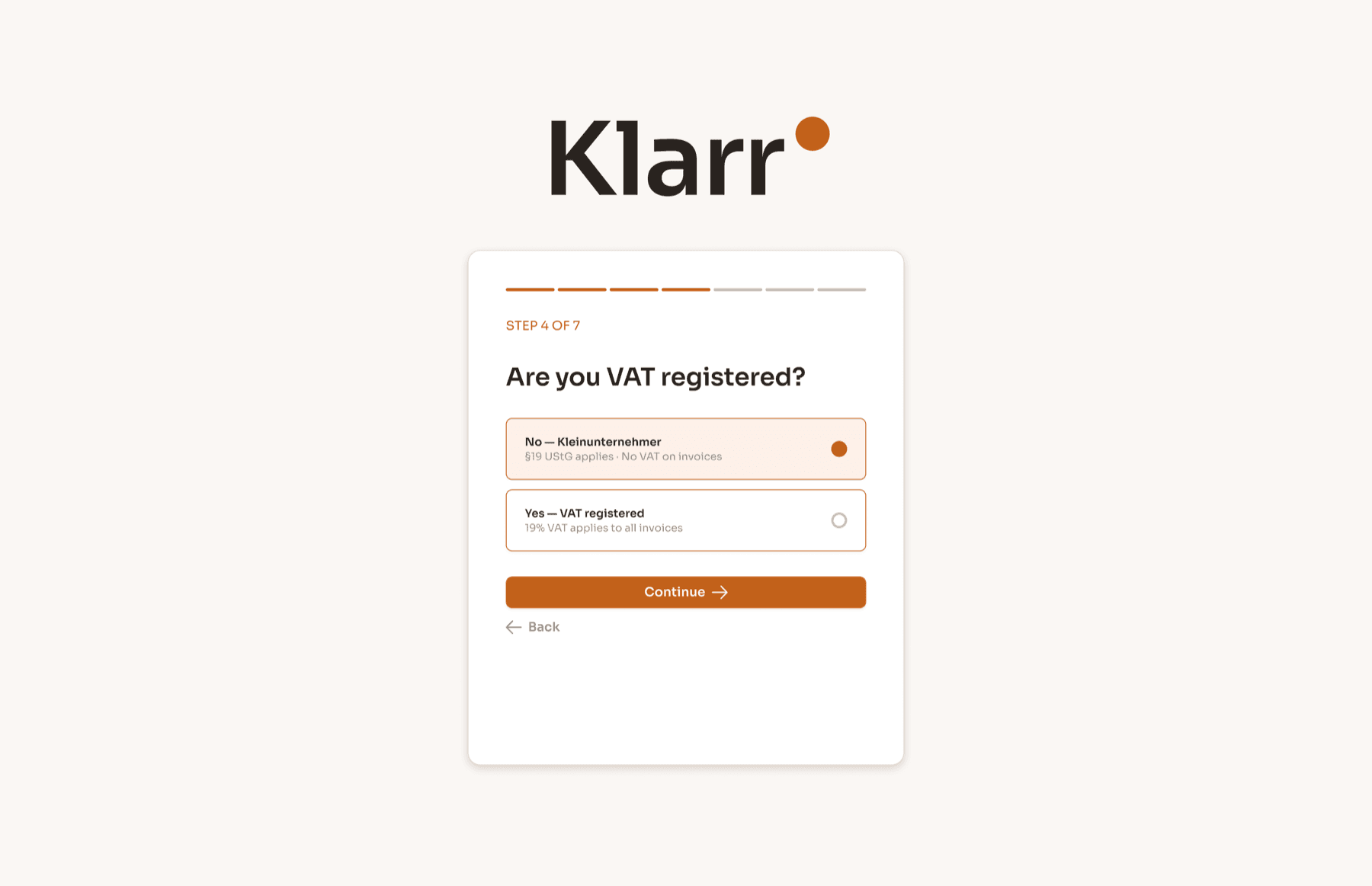
- 04VAT statusThe Kleinunternehmer branch (§19 UStG) means no VAT on invoices. The VAT branch means 19% of every invoice is never theirs.
- 05Family situationSingle, married, dependents. Kinderfreibetrag allowances affect the tax calculation meaningfully.
- 06Connect bankPSD2 Open Banking. The user picks their bank and authenticates once. Klarr reads from that point forward.
- 07First categorisationThe last 10–15 transactions are sorted into Business or Personal. Klarr learns the pattern. The dashboard loads with a real number for the first time.
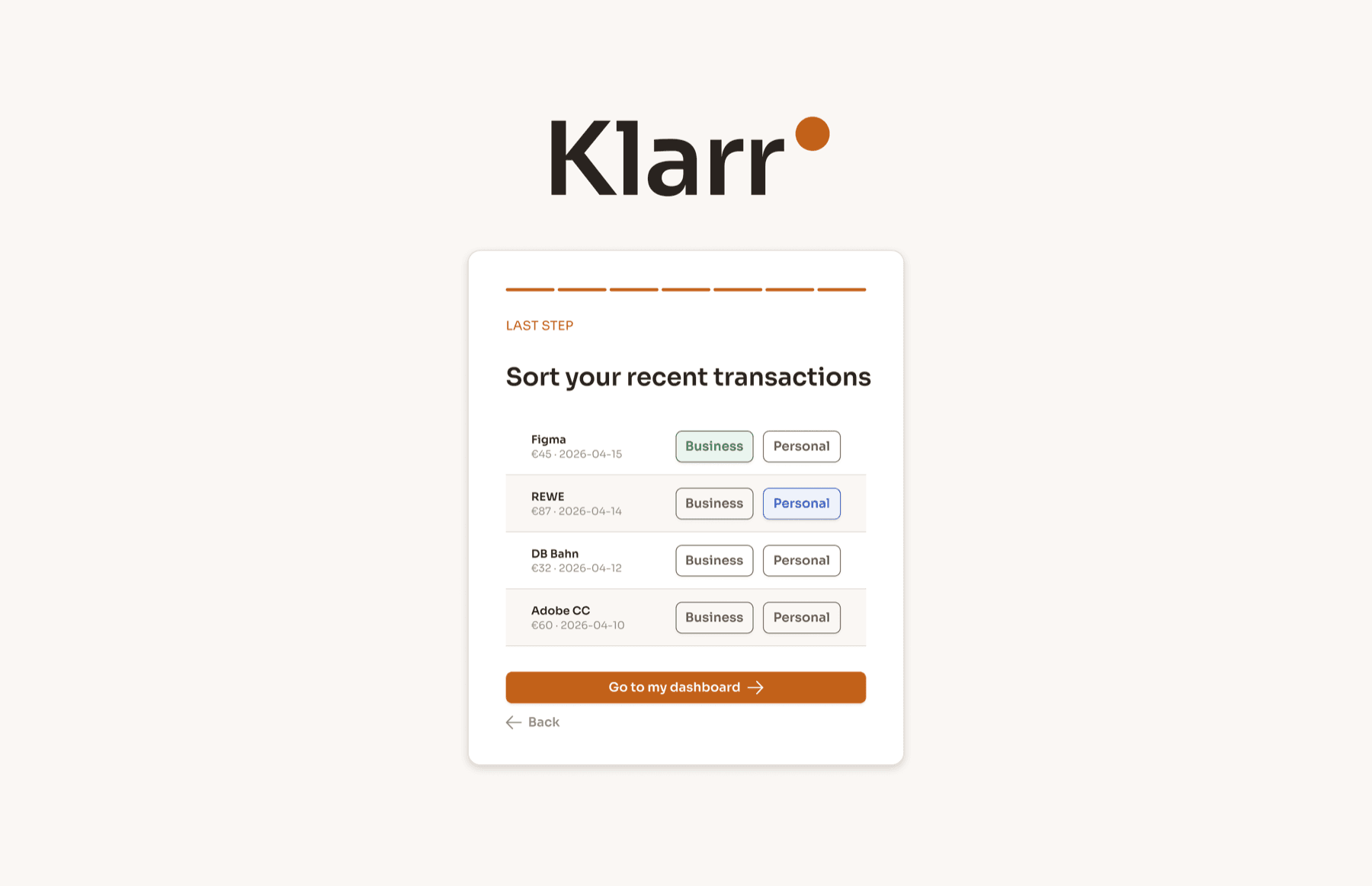
By the end of step seven, Klarr knows more about the user’s tax position than any other tool they’ve ever used. The number on first load is real: not a demo, not an estimate.
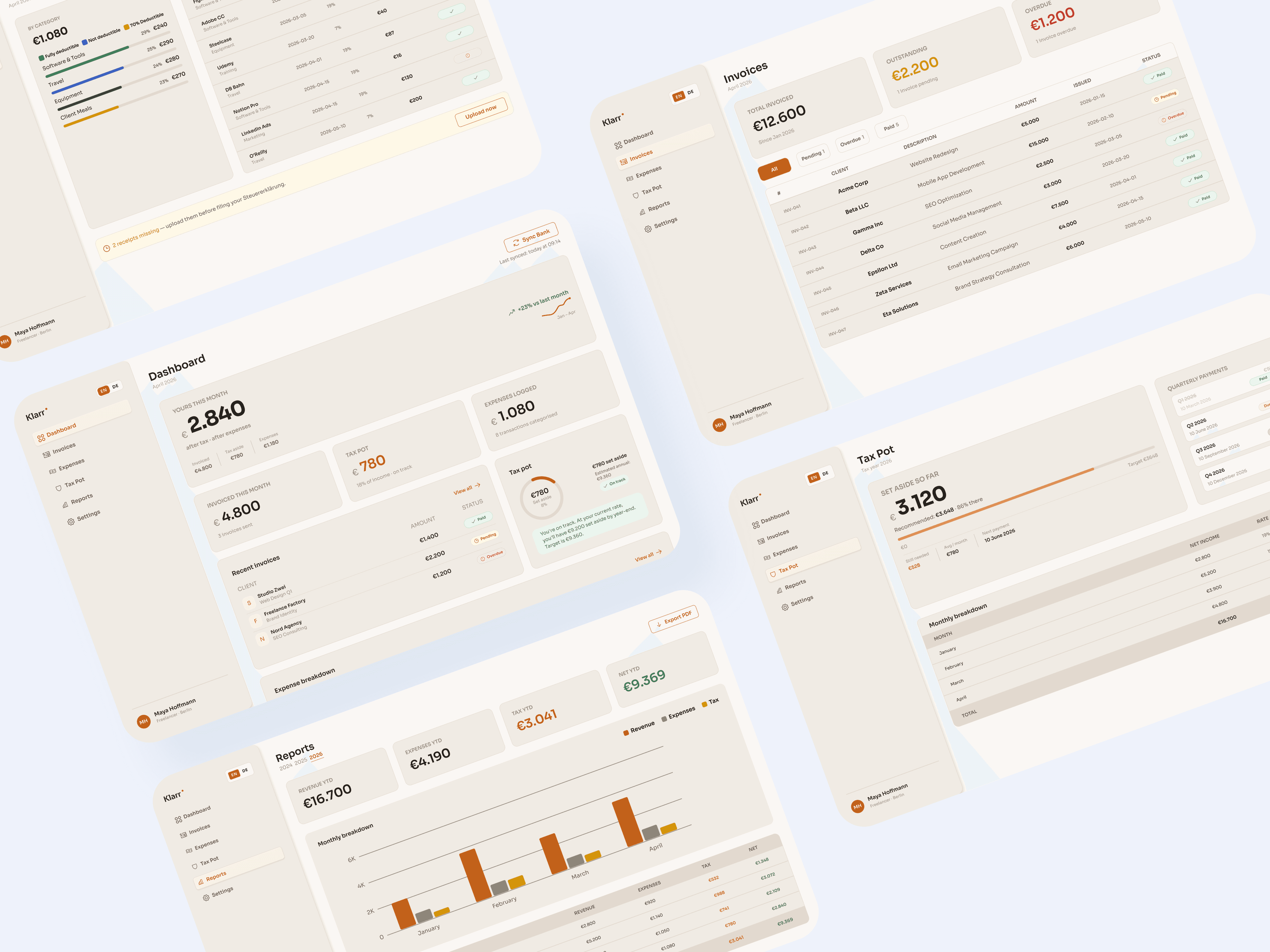
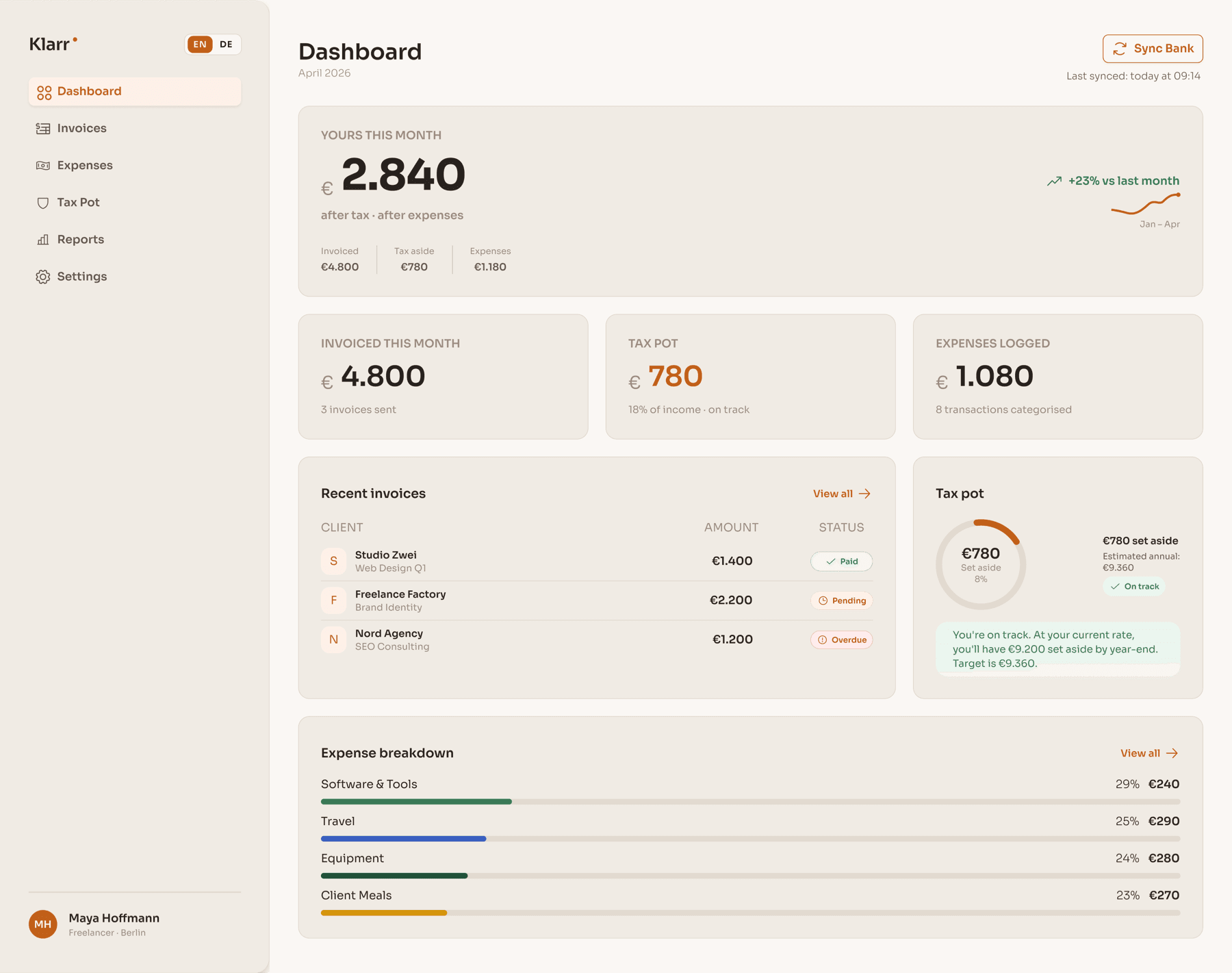
The product, screen by screen.
Two honest takeaways.
What worked
Starting from the concept rather than the screens gave every decision a rationale. The “yours” number as north star meant any cluttered layout had one resolving question. The warm colour system set Klarr apart from every cold-toned competitor.
What I’d do differently
Test the onboarding with real German freelancers before locking the screen count. Step four introduces a concept many new freelancers don’t yet understand, and I have no drop-off data for it. The empty state for a bank with no history deserved far more attention.