PROBLEM
The challenges of route optimisation.
Rhein-Waal University was approached to help redesign the internal route planning system of a respected logistics company.
The core challenge: how do you help route planners make faster, smarter decisions when they are dealing with manual processes, incomplete data, and constant last-minute disruptions?
HOW MIGHT WE OPTIMISE ROUTE PLANNING TO…
Reduce Less-Than-Truckload (LTL) shipments?
Optimise fuel consumption?
Reduce CO₂ emissions?
Ensure that ETA targets are met?
USER
Route planners: the magicians behind the board.
Our primary user is the route planner: a professional who juggles dozens of active routes, coordinates drivers and clients, and carries the pressure of cost-efficiency and on-time delivery, usually with tools that were not built for that level of complexity.
GOALS
Optimise on-time and accurate deliveries
Maximise truck load efficiency (FTL over LTL)
Reduce fuel and route costs
Propose efficient routing solutions
PAIN POINTS
Incomplete or late shipment data
Last-minute changes and delays
Manual planning tools and processes
Pressure to cut costs without compromising service
RESEARCH & PROCESS
The evolution of a solution.
The team followed a structured Design Sprint methodology, moving from raw research insights through rapid ideation to a testable high-fidelity prototype.
SPRINT METHODS USED
01
Ideation
Collaborative sessions to generate and align on core directions for the system design.
02
Assets & Data Analysis
Deep dive into the company's existing data structures, routes, and system constraints.
03
Storyboarding
Mapping out the end-to-end user journey for route planners across key task flows.
04
Sketching
Paper sketches of the dashboard and route management interfaces before moving to digital.
VISION & CONCEPT
Four pillars of the design direction.
The design vision centred on a logistics dashboard built for real planners: one that reduces cognitive load while surfacing the right intelligence at the right time.
Scalability
Built to handle growing route volumes and team sizes without sacrificing usability.
Optimisation
Surfaces fuel, cost, and time inefficiencies so planners can act on them immediately.
AI Support
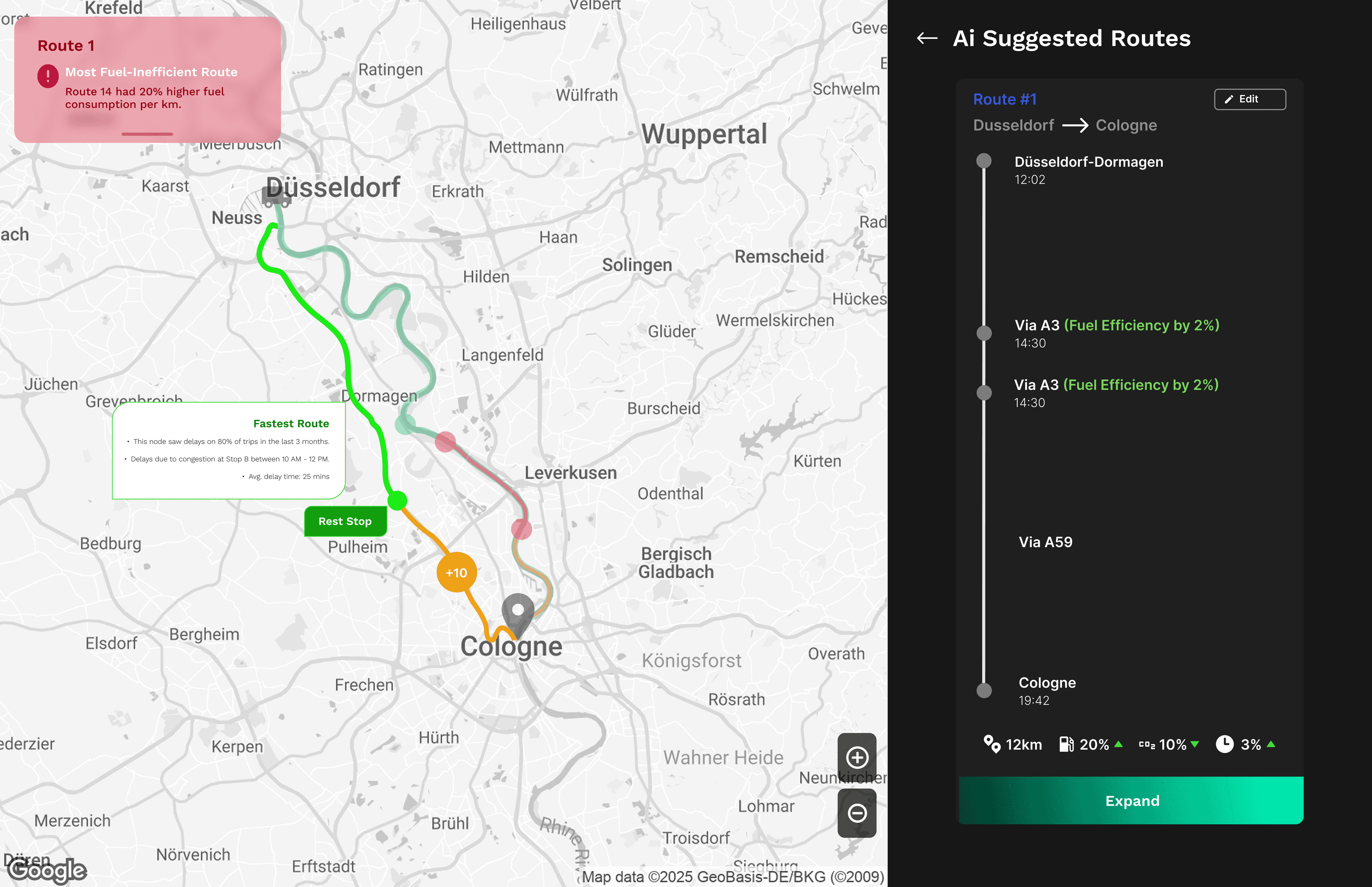
AI-suggested routes compared side-by-side, with profit impact shown before committing.
Eco-Consciousness
CO₂ emission tracking embedded into every route decision, not as a footnote.
PROTOTYPE DESIGN
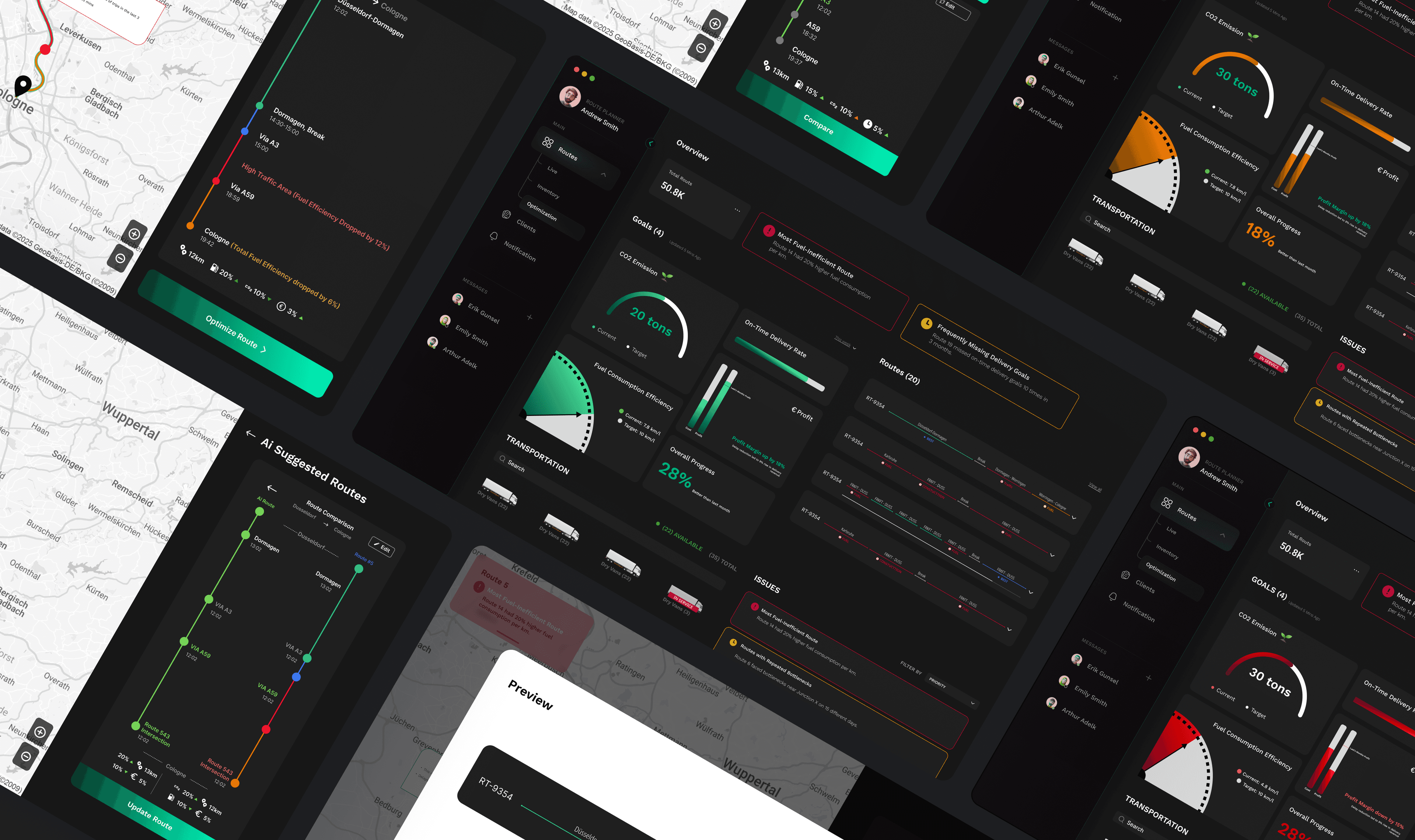
Ten screens, one unified command interface.
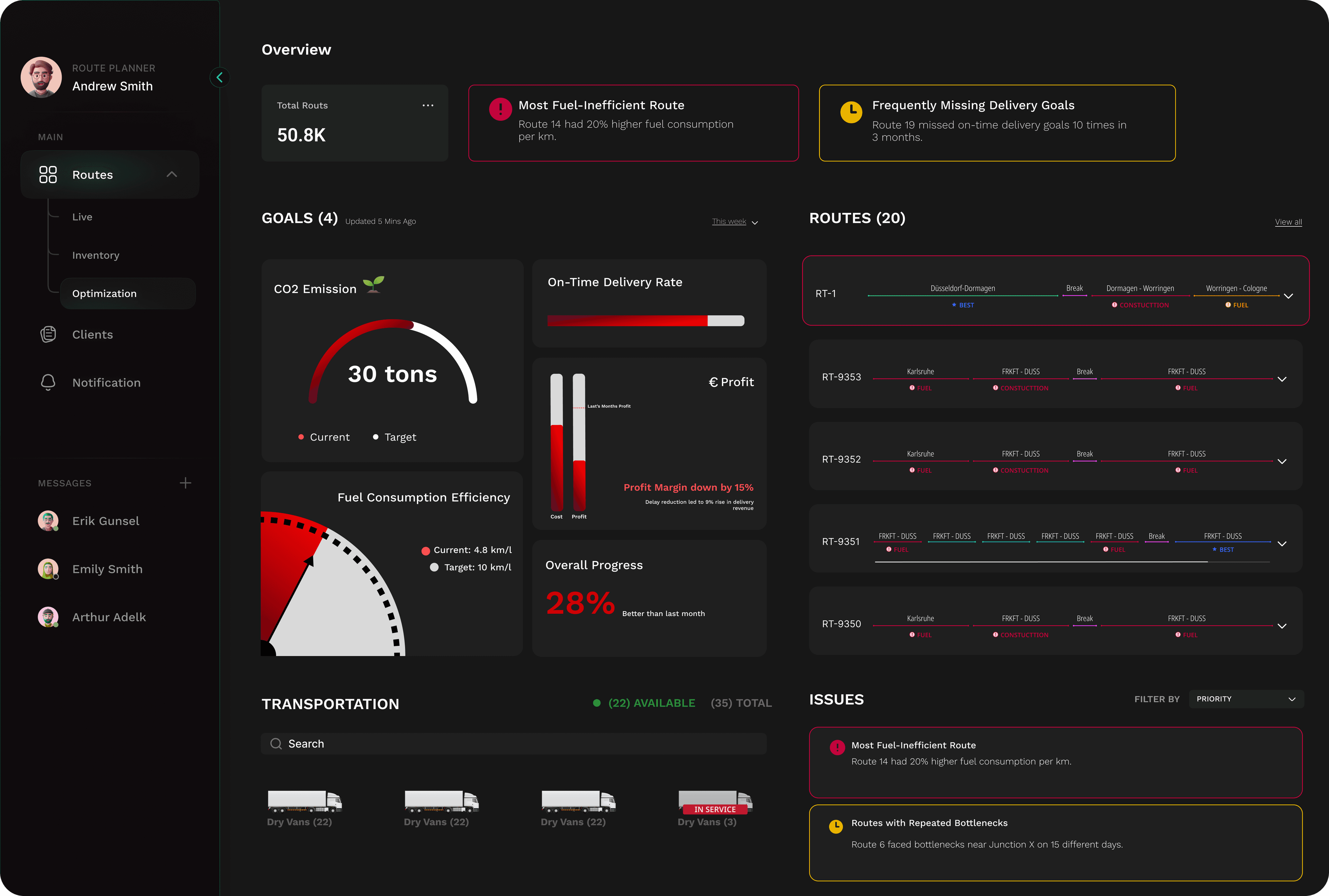
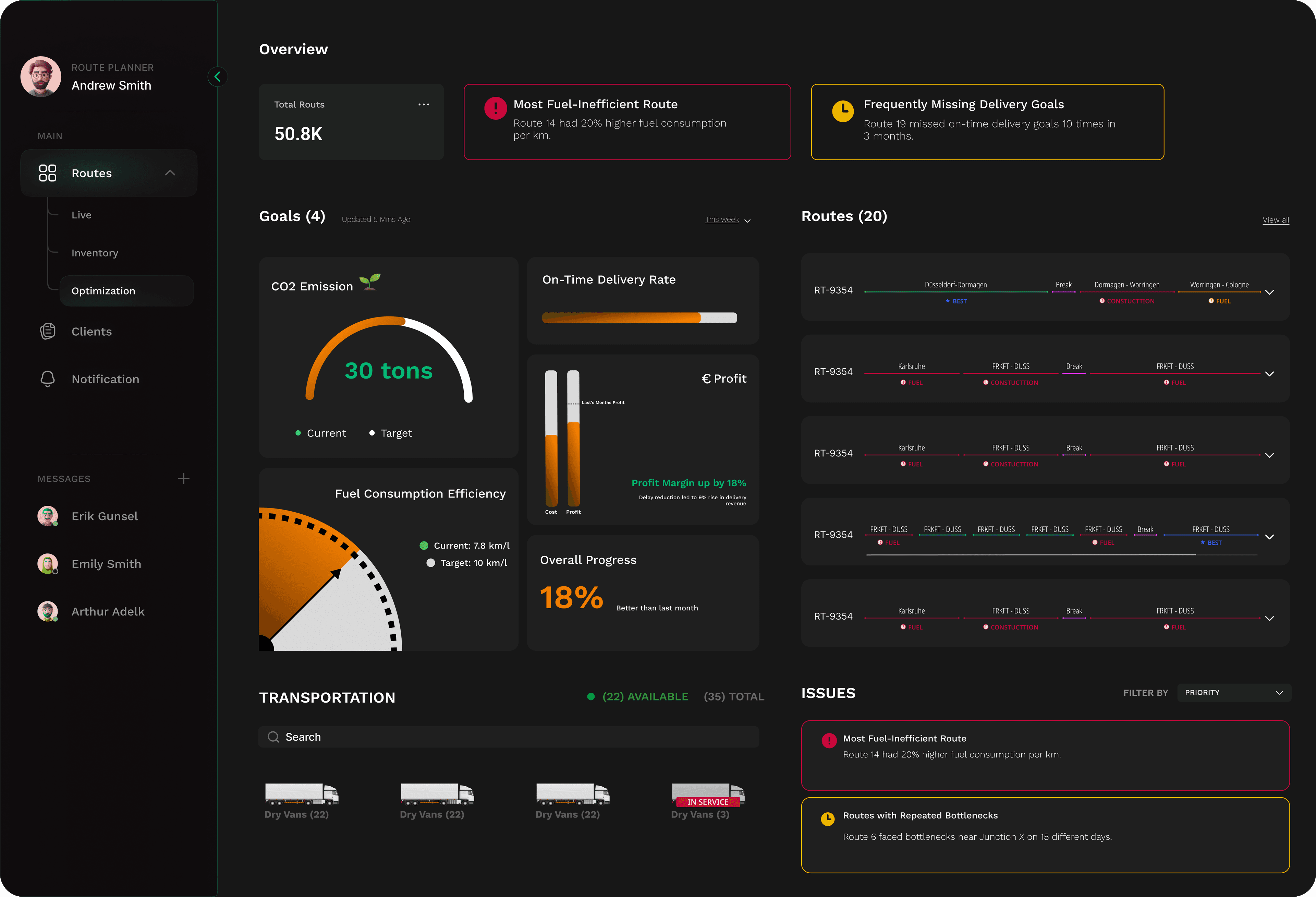
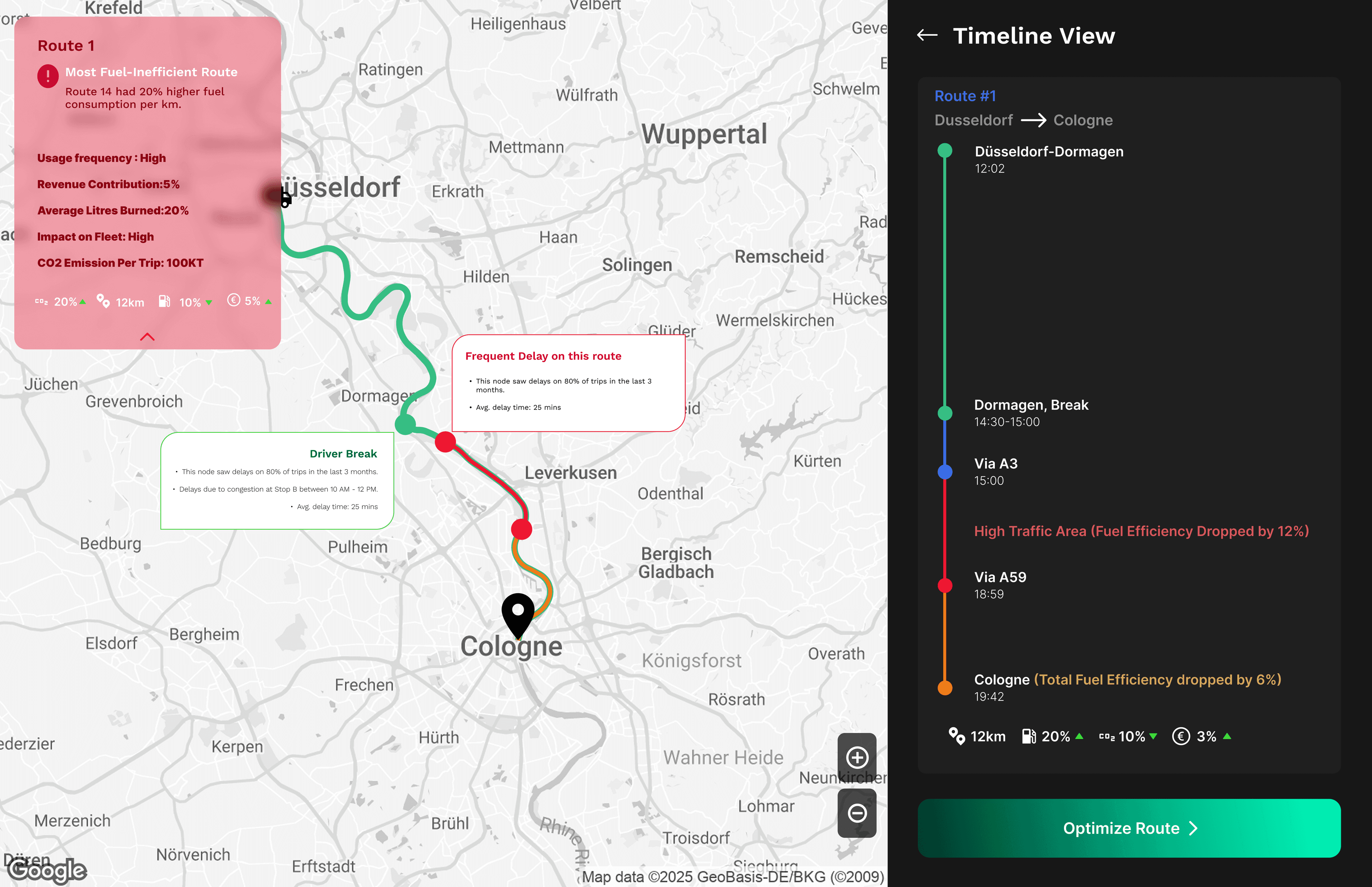
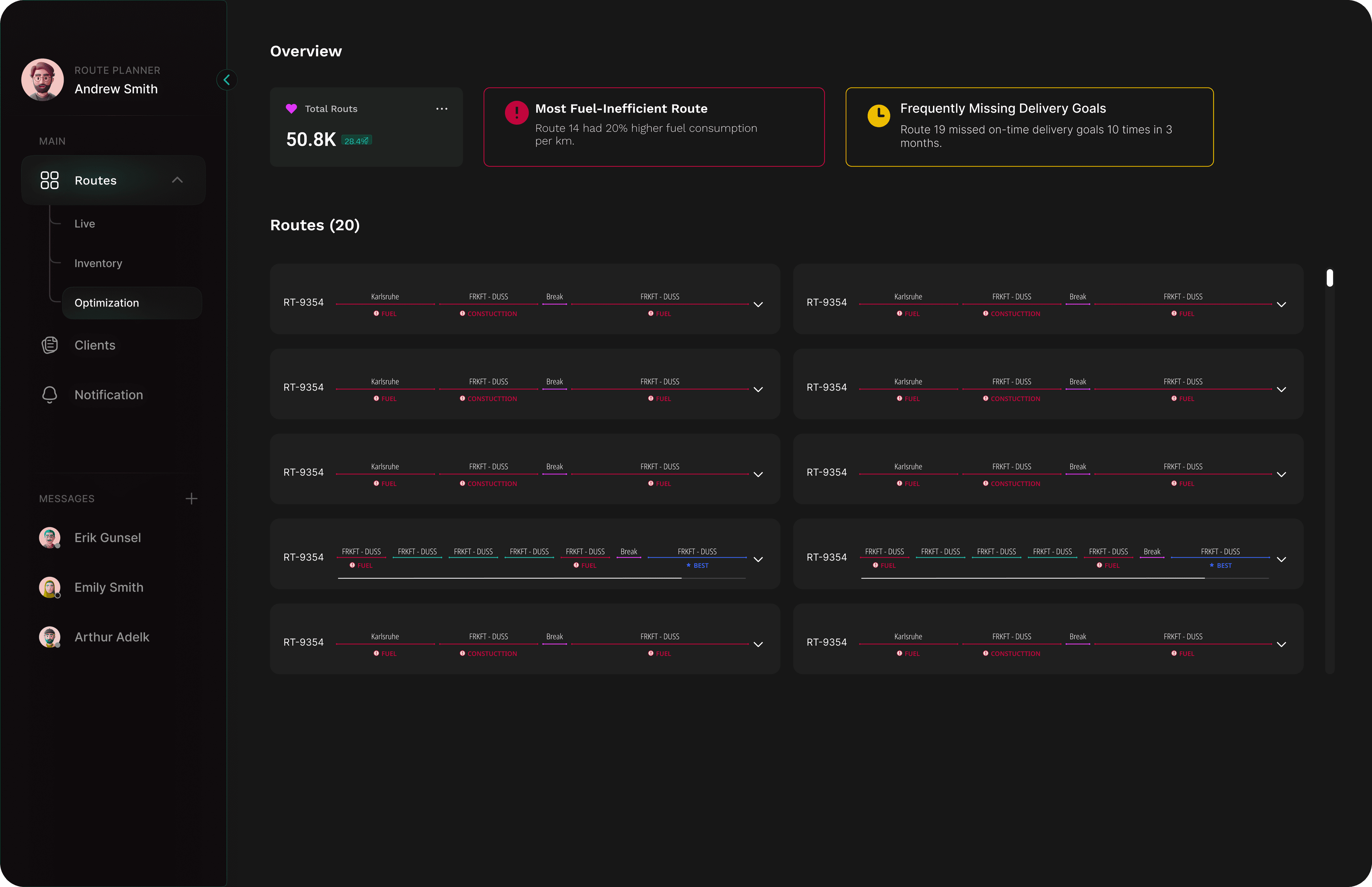
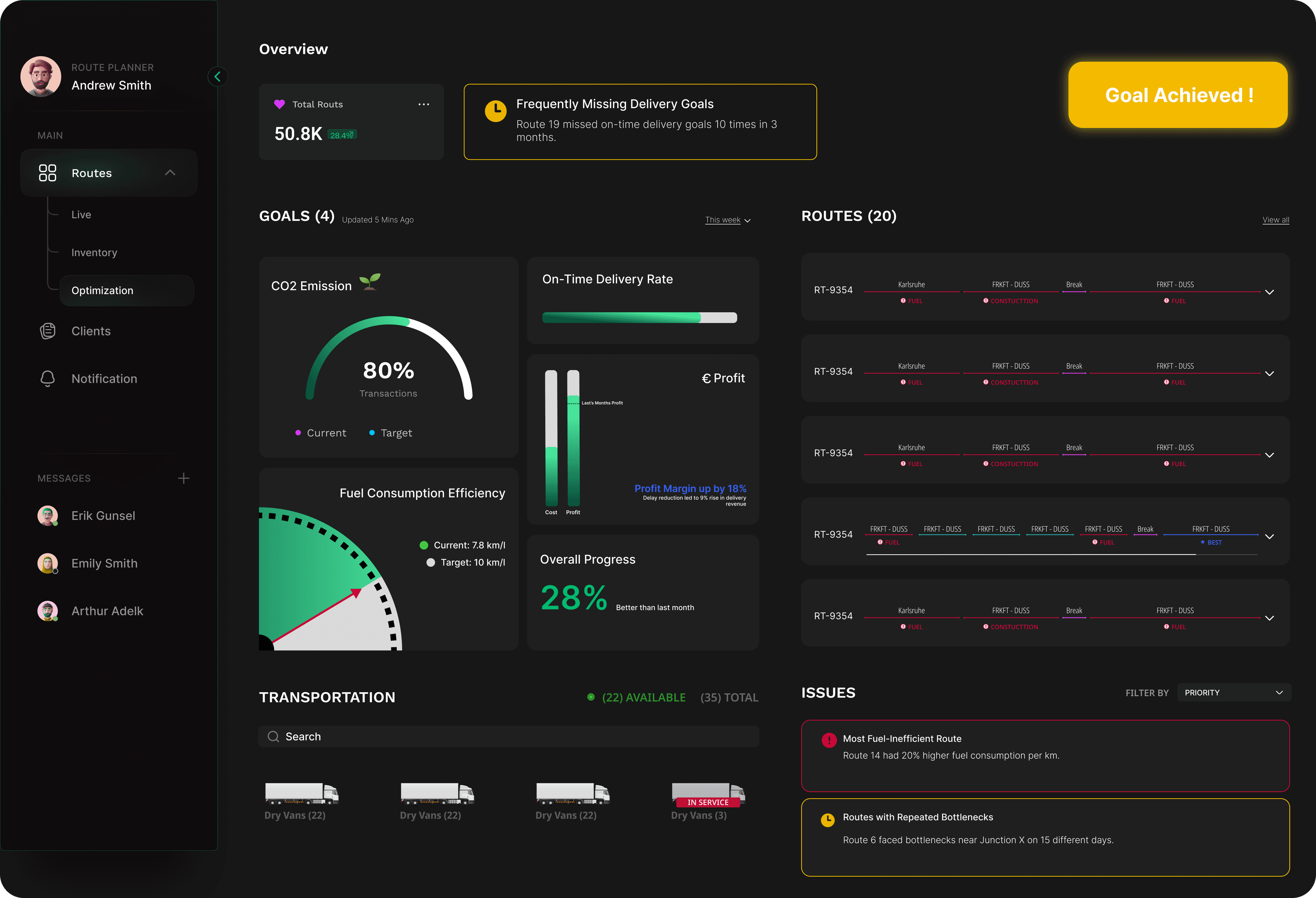
A dark-themed desktop dashboard focused on goals, AI support, automation, and route optimisation. The interactive prototype is linked below.
Central command. Live operations at a glance.

The dashboard under pressure.

Full metrics. No hidden data.

Every vehicle, live on the map.

Options before commitment.

AI reads the inefficiency. You decide.

Compare before you commit.

Side by side, before the decision.

One step before it goes live.

Closing the feedback loop.

FEEDBACK & LEARNINGS
Three key insights from testing.
Route Planning
Route planning decisions need to be relayed to and implemented by drivers. The system must bridge that communication gap, not just optimise in isolation.
On-Time Delivery
Companies want to see truck and delivery details integrated into their own systems. A standalone tool is not enough — it needs to connect with existing workflows.
Factors Impacting Costs
Delivery wait times, company working hours (ensuring deliveries arrive before closing time), and toll costs all significantly impact route decisions and overall profitability.
NEXT STEPS
Where the project goes from here.
Prototype Testing
Test with actual route planners
Gather insights on route editing workflows
Validate predictive comparison usability
Field Research
Collect real-time feedback from drivers and field teams
Identify friction points and route planning gaps
UI Improvements
Fuel Consumption Alerts
Efficiency Indicators (cost and time per truck)
Smart Rerouting via data-driven iterations
System Evolution
Turn field data into actionable intelligence
Continuously evolve the system to meet real-world demands
Prototype
See it in action
Explore the interactive prototype in Figma.